

The Minister of Education Zimbabwe Hon. Dr. Torerayi Moyo Official announced the release of ZIMSEC Grade 7 results for academic year 2024.
Check Your ZIMSEC Grade 7 Results 2024/2025 Online
Option 1 – Accessing 2024 ZIMSEC Grade 7 Results Directly
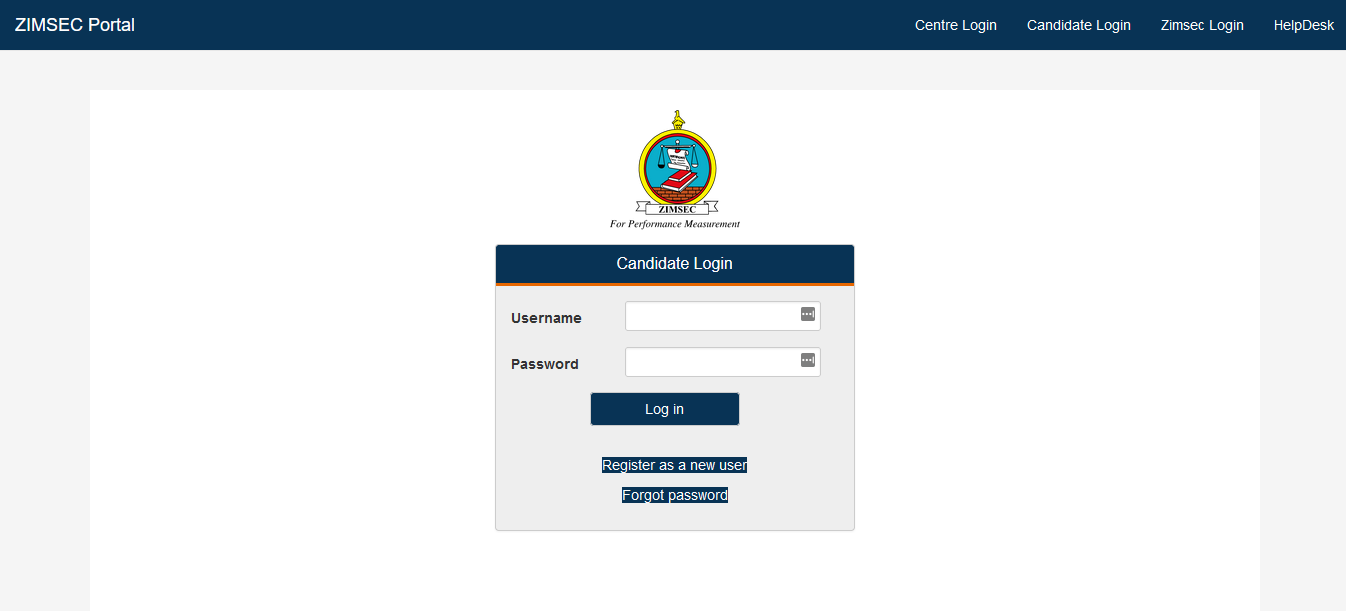
1. Go to the Zimsec Results Portal using the web address https://dcmv1.zimsec.co.zw/
You will get the following page.
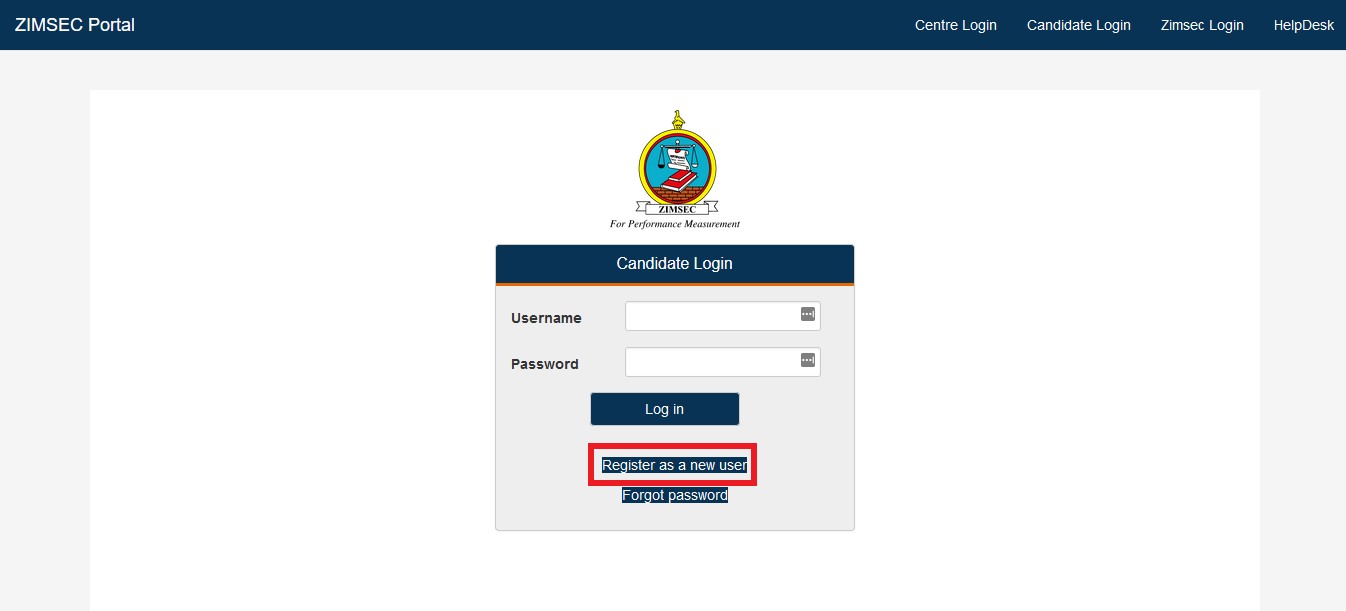
2. Click on “Register as a new user.”
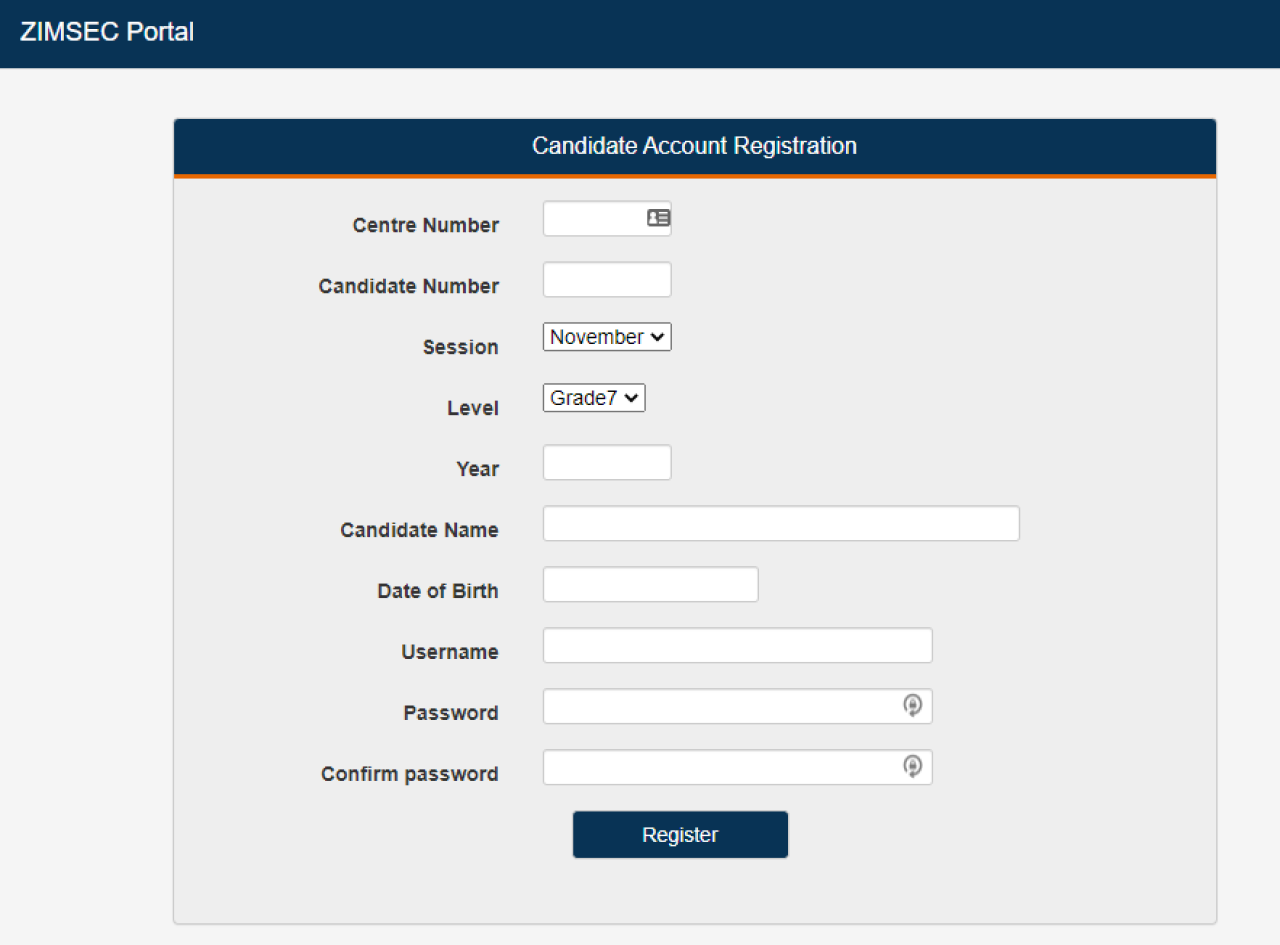
3. Enter your details and register your Zimsec account.
To register, you will need your centre number, candidate number and date of birth to create an account.
When entering the candidate’s name, start with the Surname followed by the First Name and finally the initial for the second name, if there is one. If you start with the first name followed by the surname, you may get an error message saying, “Candidate details not found.”
You will also need to create a username and password for your account. Please remember these.
When you are done entering all the details, click “Register.”
6. After registering and creating your new account, you will be redirected to the home page. Here, you will need to log in using the username and password you have created.
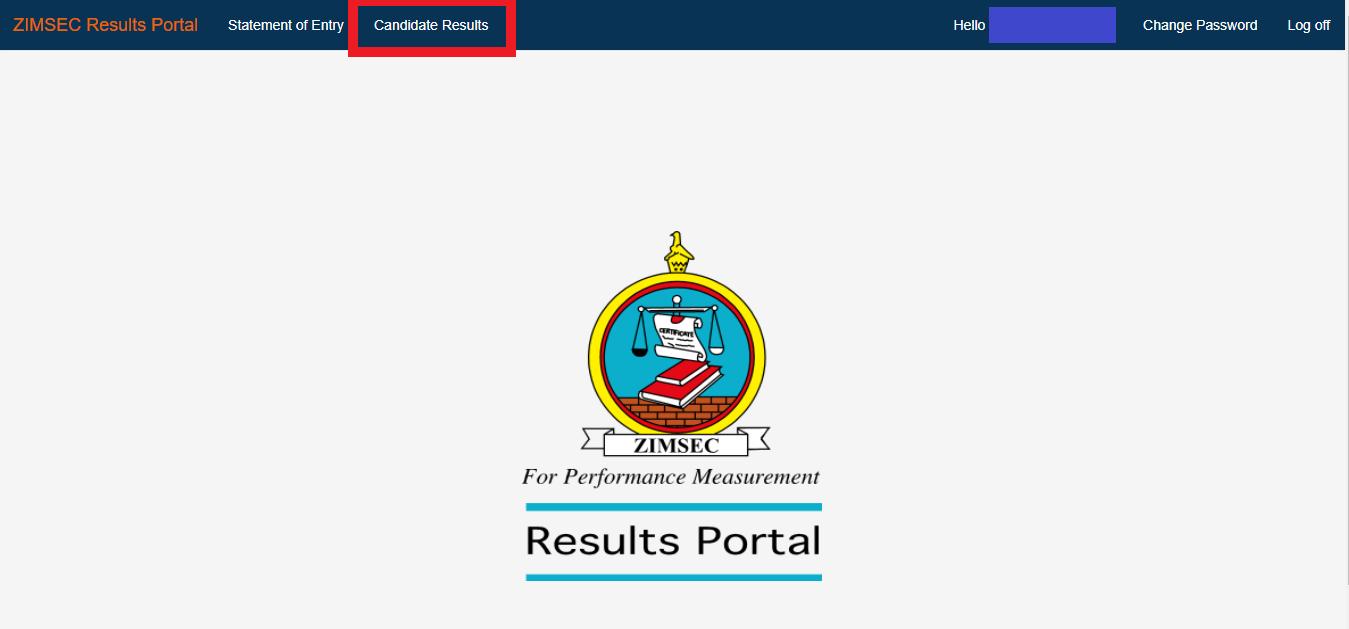
7. After you enter the username and password, the Zimsec results portal will be opened, and you will get a page that looks like the one below. Click on “Candidate Results” at the top to display the results.
How to Access ZIMSEC Grade 7 Results by Region
Select your region below
Click on the portal address for the province where your school is located:
- Harare & Masvingo (R1, R6): https://dcmv1.zimsec.co.zw
- Manicaland & Midlands (R2, R5): https://dcmv2.zimsec.co.zw
- Matabeleland North, Matabeleland South, Bulawayo (R4, R9, R10): https://dcmv3.zimsec.co.zw
- Mashonaland East, Mashonaland Central, Mashonaland West (R3, R7, R8): https://dcmv4.zimsec.co.zw
ZIMSEC website now seems to be experiencing high traffic and may be overloaded. If you encounter difficulties accessing your results, please continue trying.
=============
- Go to the portal website at https://www.zimsec.co.zw/province.html and select your province example https://dcmv1.zimsec.co.zw/.
- Enter your six-digit Centre Number.
- Input your four-digit Candidate Number.
- Choose a session (either June or November) from the dropdown list.
- Select a level (either O’Level or A’Level) from the dropdown list.
- Provide the Year in which you sat for the exam.
- Enter your Candidate Name accurately (surname, first name, and initials if applicable).
- Input your date of birth in the dd/mm/yyyy format.
- Choose a username for logging in to the application.
- Create a password with a capital letter, digits, and non-alphabetic characters (e.g., Zimsec123!).
- Reenter the password in the confirm password text box.
- Enter a security phrase of your choice, paying attention to spaces (e.g., “I am Jonathan”).
- Click the register button.
- If successful, the application will redirect to the login screen.
- In case of errors, they will be displayed on the screen.
- Remember the Security Phrase and Username in case of a forgotten password.
- For assistance, contact the toll-free number 08080147 using an Econet line or (0242) 304118.
Address:
Headquarters
Upper East Road, Mount Pleasant Harare, Zimbabwe
Coordinates 17°47’11.456?S 31°2’38.65?E
Contact
+263-4-304552/3 , 302623/4
+263-4-302288 , 333889
Website: http://www.zimsec.co.zw
